Android GPS spoofing
Fake GPS on Android Without Root — How It Actually Works
You do not need to root your Android phone to fake your GPS location. Android’s Developer Options already let you set a mock location without root. The problem is that apps detect it. GPS Spoofer’s Full edition hides the fake from apps that check — no root, no Magisk, no Xposed. $10 once.
Setting a fake location is easy — hiding it is the hard part
Every Android phone since Android 1.0 has had a Developer Options setting that lets a mock location app override the GPS. You do not need root to use it. Turn on Developer Options, select your mock location app, and it can set whatever coordinates it wants. Any app from the Play Store or sideloaded APK can be the mock location provider.
The catch: Android tags every location from a mock location app with a flag. Apps check this flag in several ways:
Location.isMock()— Android 12+ (API 31). Returnstruefor any location from a mock provider.Location.isFromMockProvider()— older API, same purpose. Returnstrue. Deprecated but still widely used.Location.getExtras()— the Bundle can contain amockProviderkey and anisMockboolean that apps can read.Settings.Secure.getString("mock_location")— some apps check whether a mock location provider is configured at all, regardless of the current location.Settings.Global.getInt("development_settings_enabled")— some apps check whether Developer Options is even turned on, treating it as suspicious.
Any app on the phone can call these methods. No special permission is required. Pokemon GO, Tinder, Bumble, Life360, Grindr, Snapchat, DoorDash, Uber, work check-in apps — they all can read the flag. A free fake-GPS app sets the right coordinates, but the flag gives you away.
That is the real problem. Faking the GPS without root is trivial — Android gives you the API for it. Faking it so that apps cannot tell is what matters. That is where most solutions require root, and where GPS Spoofer does not.
How Android’s mock location system works
Understanding the system helps you understand why each solution works (or does not).
When you select a mock location app in Developer Options, Android designates that app as the mock location provider. The app can then call LocationManager.setTestProviderLocation() to push coordinates to any location provider (GPS, network, fused). Every app on the phone receives those coordinates through the normal location APIs.
But Android also sets a flag on every location that came from the mock provider. On Android 12 and later, this is Location.isMock(). On older versions, it is Location.isFromMockProvider(). The flag is set by the Android framework itself — not by the mock location app — so no mock location app can prevent it from being set. This is by design: Google wants apps to be able to distinguish real GPS from mock GPS.
This means that hiding the mock flag is fundamentally impossible from the mock location provider side. The flag has to be intercepted on the receiving side — inside the target app, or between the target app and the Android framework. That is exactly what GPS Spoofer’s three methods do.
Here is what each method intercepts:
| Detection method | Hide from Apps | Container mode | ADB stealth |
|---|---|---|---|
Location.isMock() |
Hooked → returns false | Stripped by container | Not affected |
Location.isFromMockProvider() |
Hooked → returns false | Stripped by container | Not affected |
Location.getExtras() mock keys |
Hooked → keys removed | Stripped by container | Not affected |
Settings.Secure mock_location |
Not affected | Not affected | Cleared |
development_settings_enabled |
Not affected | Not affected | Cleared |
Why most guides say you need root
Until recently, the only way to intercept the mock flag was to modify the Android system itself. The two traditional approaches:
Root + Magisk + LSPosed + HideMockLocation module
Install Magisk to gain root access, then LSPosed (or the older Xposed Framework) to run Xposed modules system-wide, then a module like HideMockLocation that hooks isMock() in every app’s process. This works because LSPosed injects code into every app at launch, and the module replaces the isMock() return value before the app sees it.
The problems:
- Requires unlocking the bootloader, which trips Samsung Knox permanently (Knox status cannot be reset).
- Unlocking the bootloader wipes all data on the phone.
- Takes hours to set up correctly, especially on Samsung phones.
- Some apps detect the rooted environment even with Magisk’s DenyList or Shamiko.
- Play Integrity checks can fail depending on how Magisk is configured, and Google tightens these checks over time.
- Voids the warranty on most phones.
- A wrong step can brick the phone (soft brick, usually recoverable, but still stressful).
Root + system app method
Move the fake GPS app into the /system/priv-app/ partition so Android treats it as a privileged system app. System-level location providers do not get the mock flag applied. This requires root, modifies the system partition, and fails Play Integrity because the system image no longer matches the manufacturer’s signature.
Both approaches work once set up, but they are complex, risky, and can be detected. Most people searching for “fake GPS no root” or “spoof GPS without root” are looking for something that does not involve any of this.
How GPS Spoofer fakes GPS without root
GPS Spoofer’s Full edition ($10, one-time purchase) includes three methods that hide the mock location flag without touching the system partition, without root, without Magisk, and without Xposed. Each method solves the same problem — intercepting the mock flag before the target app reads it — differently.
1. Hide from Apps (LSPatch patching)
GPS Spoofer patches the target app’s APK using LSPatch. It embeds a module directly into the app that hooks isMock(), isFromMockProvider(), and getExtras() so they report the location as real. The hooks run inside the target app’s own process — no system-level framework needed.
This is the key technical insight: LSPosed requires root because it injects code into every app via the Zygote process. But LSPatch does the same injection at build time — it modifies the APK itself so the hooks are embedded in the app before it is installed. No Zygote, no root, same result.
How it works, step by step:
- Open GPS Spoofer, go to Hide from Apps.
- Tap the app you want to hide from (Pokemon GO, Tinder, Bumble, Hinge, Life360, Grindr, and others).
- GPS Spoofer extracts the app’s installed APK, patches it with the mock location hider module, and signs it with its own key.
- You uninstall the original app (required because Android does not allow two apps with the same package name but different signatures).
- You install the patched copy and log in again.
The patching takes about a minute on most phones. After that, the target app sees every location as genuine GPS — isMock() returns false, isFromMockProvider() returns false, and the extras bundle has no mock entries.
Limitation: Google Sign-In will not work in a patched app because Google checks the APK signature against the one registered in the Google API Console. A patched app has a different signature, so Google rejects it. If you log into the target app with Google, you need to switch to phone number, email, Facebook, Apple, or another login method before patching. This is a real constraint — plan accordingly. If you need Google login, use Container mode.
2. Container mode
Runs the target app inside a container app on your phone. The container creates an isolated environment that intercepts the location before the app sees it and hands it over without the mock flag. No patching, no APK modification, no signature change.
How to use it:
- Open GPS Spoofer, scroll to Container Mode in settings.
- Install the container app (one tap from GPS Spoofer).
- Open the container, install the target app inside it.
- Start spoofing in GPS Spoofer, then open the target app inside the container.
Advantages over Hide from Apps:
- Google Sign-In works inside the container because the app’s APK is unmodified.
- No need to uninstall the original app — you keep both copies.
- No APK signature change, so apps cannot detect patching.
- Simpler setup for apps you update frequently (no re-patching after updates).
Tradeoff: The app’s data inside the container is separate from a normal install. You have two copies of the app — the regular one and the one inside the container — with separate logins, settings, and data. You log in separately.
3. ADB stealth
A one-time setup from a computer. You connect your phone via USB, run one ADB command, and GPS Spoofer can then hide Developer Options and the mock location setting from apps that check for them.
The command:
adb shell pm grant com.gpspoofer.app android.permission.WRITE_SECURE_SETTINGSThis grants GPS Spoofer the WRITE_SECURE_SETTINGS permission, which lets it clear the mock_location setting and the development_settings_enabled flag from the system settings store. It does not root your phone. You only need a computer once — after that, the permission persists across reboots and app updates.
What it hides: Some apps do not read the location flag at all — they check the system settings instead. They query whether Developer Options is enabled or whether a mock location provider is configured. ADB stealth clears these settings so those checks return clean. It is a different layer of detection from isMock(), and some apps use both.
Best used together: ADB stealth hides the system settings, while Hide from Apps or Container mode hides the location flag itself. Using both gives the most thorough coverage against apps that check both.
Which apps detect mock location?
Not every app checks. Here is what to expect from the most commonly spoofed apps:
Apps that check and will catch a plain mock location
- Pokemon GO — checks
isMock()and Play Integrity. Will show “Failed to detect location” and can issue strikes leading to a ban. - Tinder — can read the mock flag and may ignore the fake location or flag the account.
- Bumble — same as Tinder. Can detect and discard mock locations.
- Hinge, Grindr — location-sensitive dating apps that can check the flag.
- Life360 — family location tracker. Checks for mock location and may notify circle members.
- Snapchat (Snap Map) — can detect the mock flag on the Snap Map position.
- Uber, Lyft (driver apps) — check for mock location. Faking driver location can have legal consequences.
- DoorDash, Instacart (delivery apps) — check location authenticity for delivery tracking.
- Employer check-in apps — many check the mock flag and some log it.
Apps that generally do not check
- Google Maps — shows wherever your phone says. Does not reject mock locations.
- Weather apps — accept any location for weather data.
- Most shopping and browsing apps — use location for convenience, not enforcement.
If your target app does not check the mock flag, you do not need the Full edition. The Play edition ($4.99) or any free mock location app will work. If your target app does check, you need GPS Spoofer’s Full edition or a root-based solution.
Comparison: GPS Spoofer vs. PGSharp vs. root method vs. locationjoystick
Four common approaches to faking GPS on Android, side by side:
| GPS Spoofer Full | PGSharp | Root + Magisk + Xposed | locationjoystick (free) | |
|---|---|---|---|---|
| Price | $10 once | Free–$5/mo | Free (if rooted) | Free |
| Year 1 cost | $10 | $0–$60 | $0 | $0 |
| Year 2 total | $10 | $0–$120 | $0 | $0 |
| Root required | No | No | Yes | No |
| Hides mock flag | Yes | Yes (Pokemon GO only) | Yes (all apps) | No |
| Works with all apps | Yes — any app | Pokemon GO only | Yes | Yes (but detected) |
| Joystick | Yes | Yes | Depends on app | Yes |
| Routes | Yes | Yes | Depends on app | No |
| Speed control | Yes | Yes | Depends on app | No |
| Passes Play Integrity | Yes | Yes | Depends on setup | Yes |
| Voids warranty | No | No | Yes (unlocked bootloader) | No |
| Trips Samsung Knox | No | No | Yes (permanent) | No |
| Risk of bricking | None | None | Low (but real) | None |
| Setup time | 5 minutes | 5 minutes | 1–3 hours | 2 minutes |
| Android versions | 9–17 | Pokemon GO versions | Varies by root method | Varies |
| Google login in target app | Container: yes. Patched: no | No | Yes | Yes (but detected) |
What each option actually does
GPS Spoofer Full ($10 once)
Sets mock coordinates via Android’s standard mock location API, then hides the mock flag from the target app using LSPatch patching, a container, or ADB stealth. Works with any app on any unrooted phone. One purchase covers every method and every app on your phone. No subscription, no monthly fee, no expiring license.
The app includes a 3D satellite globe, a flat map with street and satellite tiles, a joystick overlay, route recording and playback, adjustable speed, saved locations, scheduled spoofing, wander mode (random walk around a point), and GNSS satellite simulation.
PGSharp (free / $5 per month)
A modified copy of Pokemon GO with spoofing built directly into the game client. It replaces the real Pokemon GO app entirely — you cannot run PGSharp alongside the real game. There is a free version with teleport and joystick, and a $5/month Standard edition with additional features. Either way, it only works with Pokemon GO — it does nothing for Tinder, Bumble, Life360, or any other app. The Standard edition costs $60 in the first year and $60 every year after that. Over two years, that is $120 versus GPS Spoofer’s one-time $10.
Root + Magisk + LSPosed ($0, but requires root)
The traditional method. Root the phone with Magisk, install the LSPosed framework, install a module like HideMockLocation that hooks isMock() system-wide so every app sees real locations. It is free and covers all apps, but:
- Requires unlocking the bootloader, which trips Samsung Knox permanently.
- Unlocking the bootloader wipes all data on the phone.
- Takes one to three hours to set up and can soft-brick the phone if done wrong.
- Some apps detect rooted phones even with Magisk’s DenyList or Shamiko.
- Play Integrity checks can fail depending on how Magisk is configured.
- Voids the warranty on most phones.
If your phone is already rooted and you know what you are doing, this works well. If you are not rooted and do not want to be, this is not the path. GPS Spoofer’s Full edition also includes an optional Zygisk module for rooted users — install it with one tap and it hides mock location from every app at the system level, no per-app patching needed.
locationjoystick (free, no root)
A free mock location app available on Google Play. It sets coordinates and provides a joystick for walking around. It does not hide the mock flag — it cannot, because the flag is set by Android, not by the mock location app. Any app that checks isMock() will see the fake immediately.
This works for apps that do not check — Google Maps, weather apps, most shopping apps. It will get you caught on Pokemon GO, Tinder, Bumble, Life360, and any app that checks the mock flag.
Step-by-step: fake your GPS without root
Total setup time: about five minutes. No computer needed for Hide from Apps and Container mode.
Step 1: Get GPS Spoofer
Buy the Full edition ($10). You get a download link by email within a few minutes. Download the APK and install it. Your phone will ask you to allow installs from your browser — that is normal for apps installed outside Google Play. Tap “Allow” or “Install anyway.”
If you only need the joystick and routes without mock flag hiding, the Play edition ($4.99) on Google Play installs like any normal app.
Step 2: Enable Developer Options
Developer Options is a built-in Android feature, not a hack. It does not root your phone. It does not void your warranty. It simply unlocks settings that Android hides by default.
- Open Settings.
- Go to About phone (on some phones: Settings > System > About phone).
- Find Build number (on Samsung: About phone > Software information > Build number).
- Tap Build number seven times. You will see a countdown toast (“You are 3 steps away from being a developer”), then “You are now a developer.”
- Go back to Settings. A new entry called Developer options appears (on some phones: Settings > System > Developer options).
Step 3: Select GPS Spoofer as mock location app
- In Developer options, find Select mock location app (may be called “Mock location app” on some phones).
- Tap it and select GPS Spoofer from the list.
GPS Spoofer walks you through steps 2 and 3 automatically when you first open it. If the setting is in a different place on your phone, the app tells you exactly where to look.
Step 4: Hide the mock flag (Full edition)
Choose whichever method fits your situation:
Option A — Hide from Apps (recommended for most users):
- Open GPS Spoofer.
- Go to Hide from Apps.
- Tap the target app (Pokemon GO, Tinder, Bumble, etc.).
- Wait for the patching to finish (about a minute).
- When prompted, uninstall the original app.
- Install the patched copy that GPS Spoofer created.
- Open the patched app and log in.
Important: if you use Google to log into the target app, switch to a different login method (phone number, email, Facebook, Apple) before patching. Google login will not work in the patched copy.
Option B — Container mode (if you need Google login):
- Open GPS Spoofer.
- Go to settings and find Container Mode.
- Tap to install the container app.
- Open the container app.
- Install the target app inside the container.
- Log in to the target app inside the container (Google login works here).
Option C — ADB stealth (one-time, needs a computer):
- Enable USB debugging in Developer Options on your phone.
- Connect your phone to a computer via USB cable.
- On the computer, open a terminal (Command Prompt on Windows, Terminal on Mac/Linux).
- If you do not have ADB installed, download Android Platform Tools from Google.
- Run:
adb shell pm grant com.gpspoofer.app android.permission.WRITE_SECURE_SETTINGS - Your phone may ask you to authorize the USB debugging connection — tap “Allow.”
- You should see no output (that means it succeeded). You can disconnect the USB cable. The permission persists.
Step 5: Spoof your location
- Open GPS Spoofer.
- Spin the 3D globe or use the search bar to find a location.
- Tap the location and press Spoof Here.
- Open the target app (the patched copy, or the one inside the container).
- The app should show your spoofed location.
- Use the joystick overlay to walk around, or set up a route with the speed you want.
No-root GPS spoofing by use case
Different apps require different approaches. Here is what works best for the most common reasons people fake their GPS:
Gaming (Pokemon GO, Monster Hunter Now, Dragon Quest Walk)
Games with location-based gameplay check the mock flag aggressively. Pokemon GO also checks Play Integrity to detect rooted or modified devices. The best approach:
- Use Hide from Apps to patch the game. The patched game’s
isMock()calls return false. - Switch away from Google login before patching (use Pokemon Trainer Club, Facebook, or Apple login for Pokemon GO).
- Use the joystick at walking speed. Teleporting across cities instantly is the fastest way to get flagged.
- Optionally add ADB stealth to hide Developer Options from the game.
The patched game passes Play Integrity because the system partition is untouched and the bootloader is locked. See the full Pokemon GO guide.
Dating apps (Tinder, Bumble, Hinge, Grindr)
Dating apps use location to show you profiles nearby. Spoofing lets you appear in a different city without paying for features like Tinder Passport ($25/mo) or Bumble Travel Mode ($40/mo). Both methods work:
- Hide from Apps — patches the dating app. If you log in with Google, switch to phone number or email first.
- Container mode — runs the dating app inside a container. Google login works. Good if you want to keep the original app alongside the spoofed copy.
Spoofing dating app locations violates their terms of service. Accounts can be banned or shadowbanned. See the Tinder guide and Bumble guide.
Privacy and tracking (Life360, Find My, family locators)
Some people want to control what location their family tracking app reports. Container mode is usually the best approach here because:
- Google login works inside the container (Life360 uses Google Sign-In).
- No patching needed, so the app looks unmodified.
- You can keep the real app installed for situations where you want accurate tracking.
Faking your Life360 location defeats the app’s purpose. If your family relies on it for safety, consider the consequences before spoofing.
App development and testing
Developers testing geofences, location-triggered features, or international behavior can use GPS Spoofer to simulate being in different places. The Play edition ($4.99) is usually enough for development because your own app probably does not check for mock location. Route playback is useful for testing movement-based features. The geofence simulation guide covers the math behind route simulation and fix spacing.
Work and gig apps
Faking your location for work check-in apps or gig economy apps (Uber, DoorDash, Instacart) is technically possible with GPS Spoofer. But we have to be direct: this can constitute time theft or fraud. Your employer may have policies against it, and gig platforms will deactivate your account. This is one area where the legal risk goes beyond a terms-of-service violation. We do not recommend it.
How to verify the mock flag is hidden
After setting up Hide from Apps or Container mode, you want to confirm it is actually working before relying on it. Here are two ways to check:
Check with the target app
The simplest test: open the target app and see if it works. If Pokemon GO shows your spoofed location and lets you interact (spin stops, catch Pokemon), the mock flag is hidden. If Tinder shows profiles in your spoofed city, it is working. If the app shows an error or reverts to your real location, something is wrong.
Use a mock location testing app
For a more thorough check, install a mock location testing app (several free ones exist on the Play Store) alongside the patched app. Start spoofing, then check what the testing app reports:
- The testing app (unpatched) should show
isMock = true— because it has not been patched, it sees the flag. - The patched target app should behave as if the location is real — because its
isMock()is hooked to return false.
If both apps show mock = true, the patching did not work. Re-patch or try Container mode.
The mock location testing guide has more detail on how Android’s mock system works at the API level.
What GPS Spoofer does NOT do
Managing expectations honestly:
- It does not change your IP address. Your Wi-Fi or mobile data IP stays the same. If an app or website checks your IP for rough geolocation, it will still show your real country or city. For that, you need a VPN (separate from GPS Spoofer).
- It does not spoof Wi-Fi based location. If the target app uses Wi-Fi network scanning for positioning (common indoors), the Wi-Fi scan results still point to your real location. GPS Spoofer overrides the GPS/fused location, which is what most apps rely on.
- It does not guarantee you will not get banned. Hiding the mock flag makes detection harder, but no tool can promise zero risk. Apps can update their detection methods, and behavioral patterns (teleporting across continents) are a separate signal from the mock flag.
- It does not work on iOS. GPS Spoofer is an Android app. There is no iPhone version. iOS does not have a mock location API for regular apps.
- It does not bypass cell tower triangulation. Your phone still connects to real cell towers. An app or carrier that uses cell tower location as a secondary signal will still see your real area. Most consumer apps do not do this, but some enterprise security systems might.
Common mistakes when spoofing without root
These are the things that trip up most users:
Forgetting to switch away from Google login before patching
If you patch an app with Hide from Apps and then try to log in with Google, it will fail. Google checks the APK signature, and patching changes it. If your only login method was Google, you may be locked out. Always switch to email, phone number, Facebook, Apple, or another method before patching. If you are already locked out, use Container mode instead — it preserves the original APK signature.
Running the original app instead of the patched copy
After patching, you have to uninstall the original app and install the patched copy. If you forget and open the original (before uninstalling it), the mock flag is still visible. Make sure you are opening the patched version.
Not selecting GPS Spoofer as the mock location app
The most basic step: GPS Spoofer has to be selected as the mock location app in Developer Options. Without this, it cannot set your location at all. The app walks you through this on first launch, but if you skip it, nothing will work.
Expecting a VPN to change GPS
A VPN changes your IP address. GPS-based apps read the phone’s GPS sensor or the fused location provider. These are completely separate systems. A VPN will not change what Pokemon GO, Tinder, or Bumble see as your GPS coordinates. You need a mock location app for that.
Teleporting too far too fast
If you are spoofing for Pokemon GO and you teleport from New York to Tokyo in two seconds, Niantic’s system will flag it. Use the cooldown system — the community consensus is roughly two hours for long-distance jumps. GPS Spoofer does not enforce this because you might have legitimate reasons for fast jumps, but for games with anti-cheat, pace yourself.
Android version support
GPS Spoofer runs on Android 9 (Pie) through Android 17, including:
- Android 17 QPR1 on Pixel phones — version 2.0.8 fixed a setup issue specific to these devices where the Developer Options mock location picker did not show correctly.
- Android 16
- Android 15
- Android 14
- Android 13, 12, 11, 10, 9
Manufacturers tested: Samsung Galaxy (S series, A series, Z Fold/Flip), Google Pixel (3 through 9), OnePlus, Xiaomi/Redmi, Motorola, Oppo, Realme, Nothing Phone, and others. The app uses standard Android APIs, so it works on any phone that runs Android 9 or later.
The mock location API has been stable since Android 1.0. What changes between versions is how aggressively apps check for it and how Google tightens Play Integrity. GPS Spoofer’s patching approach is independent of both because it hooks the calls inside the target app itself, not at the system level.
What GPS Spoofer includes
- 3D satellite globe — spin the planet, tap anywhere to set your location. Real satellite imagery, not a flat map projection.
- Flat map with satellite imagery and street map overlays, searchable by city, address, or coordinates.
- Joystick overlay — floats on top of other apps. Walk around in real time while using the target app.
- Route recording and playback — draw a path on the map and walk it automatically at any speed.
- Speed control — walk (5 km/h), run (12 km/h), cycle (25 km/h), drive (60+ km/h), or set a custom speed.
- Saved locations — bookmark frequently used spots and teleport back with one tap.
- Scheduled spoofing — set a start and stop time so spoofing runs on a schedule.
- Wander mode — random walk around a point to generate natural-looking movement.
- GNSS satellite simulation — spoofs the satellite constellation data, not just the coordinates. Apps that read satellite info see a realistic sky.
- Hide from Apps (Full only) — patches target apps so
isMock()returns false. - Container mode (Full only) — runs target apps in a container with the mock flag stripped.
- ADB stealth (Full only) — hides Developer Options and the mock location setting from apps.
Screenshots
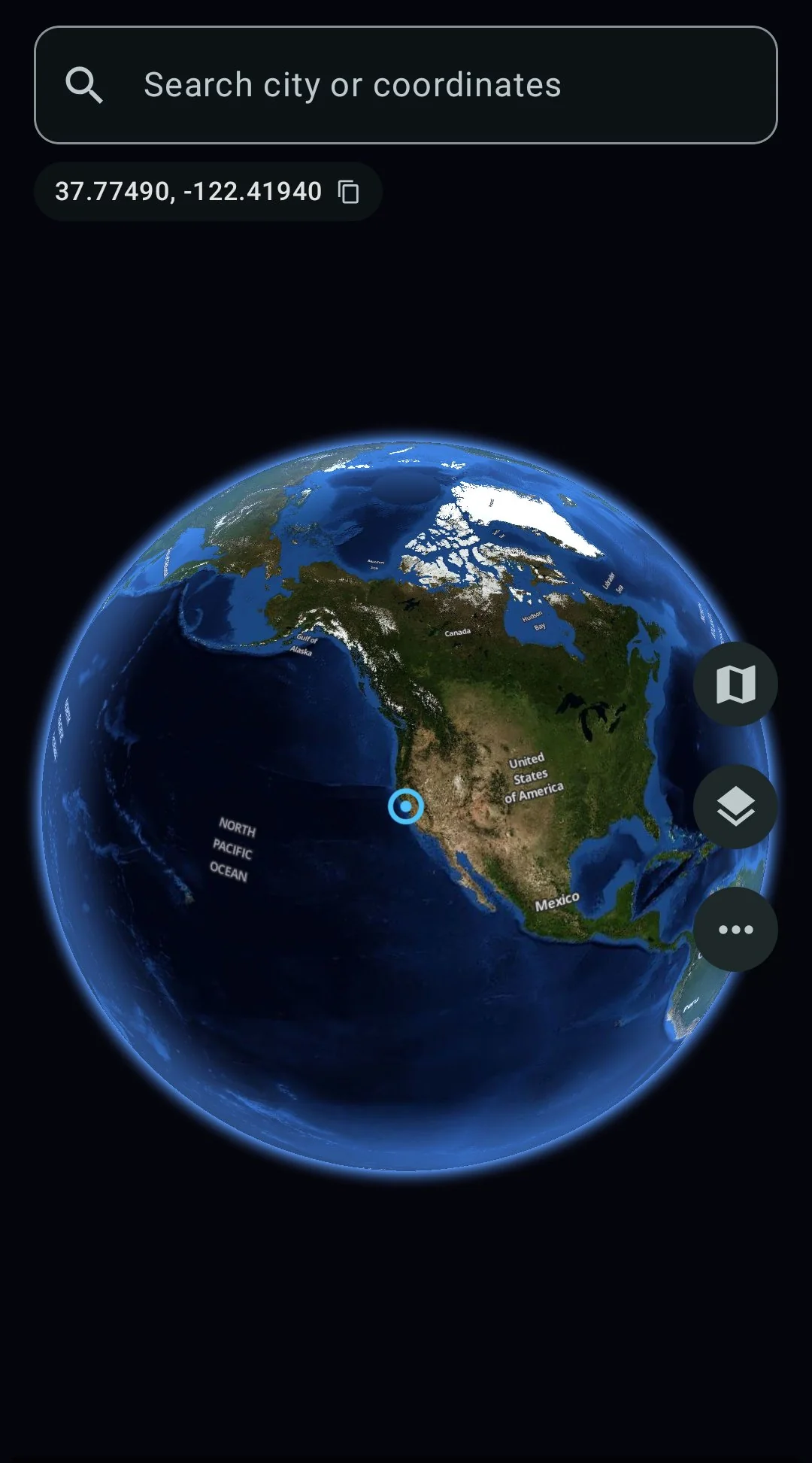
Spin the globe, search any city
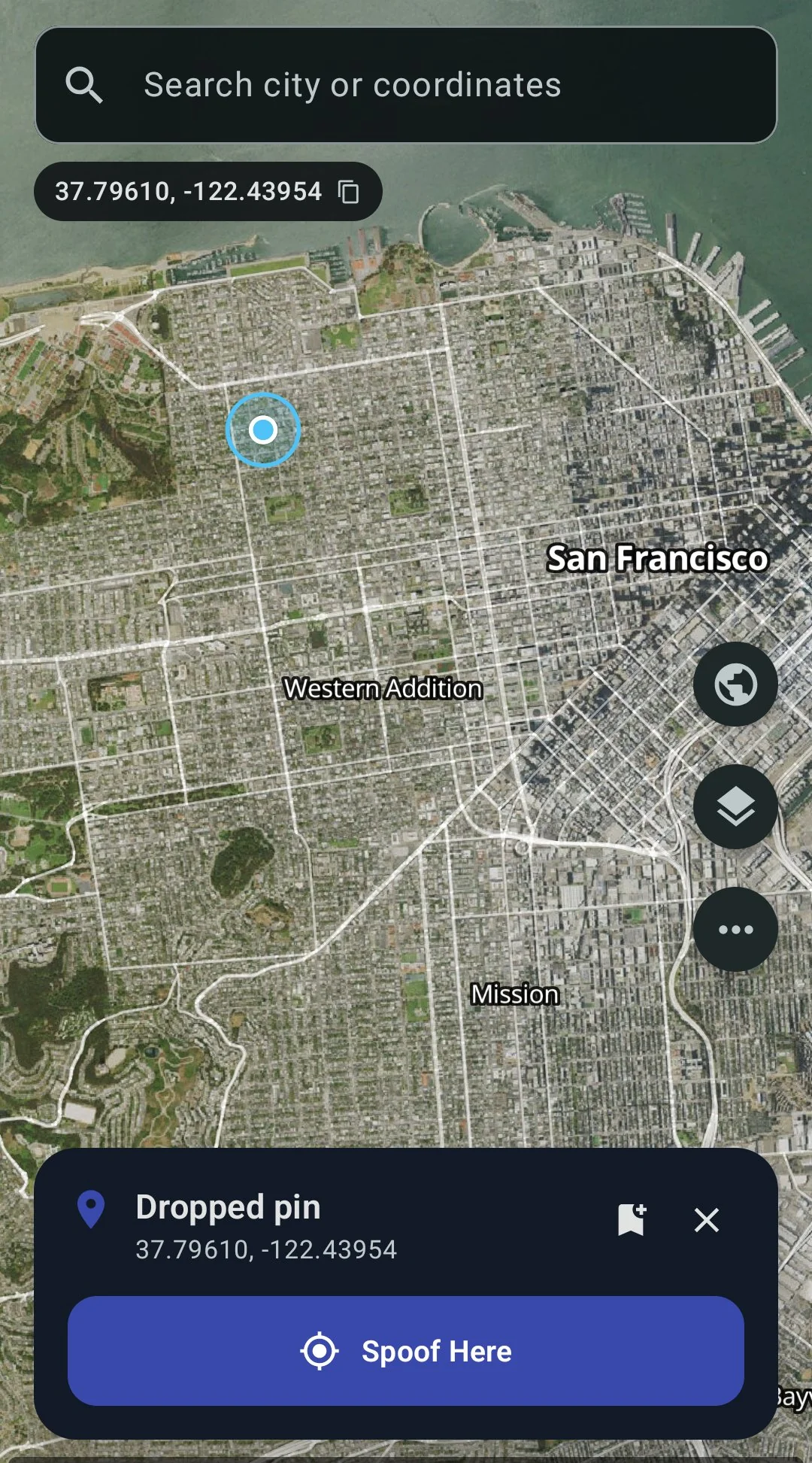
Tap anywhere, hit Spoof Here
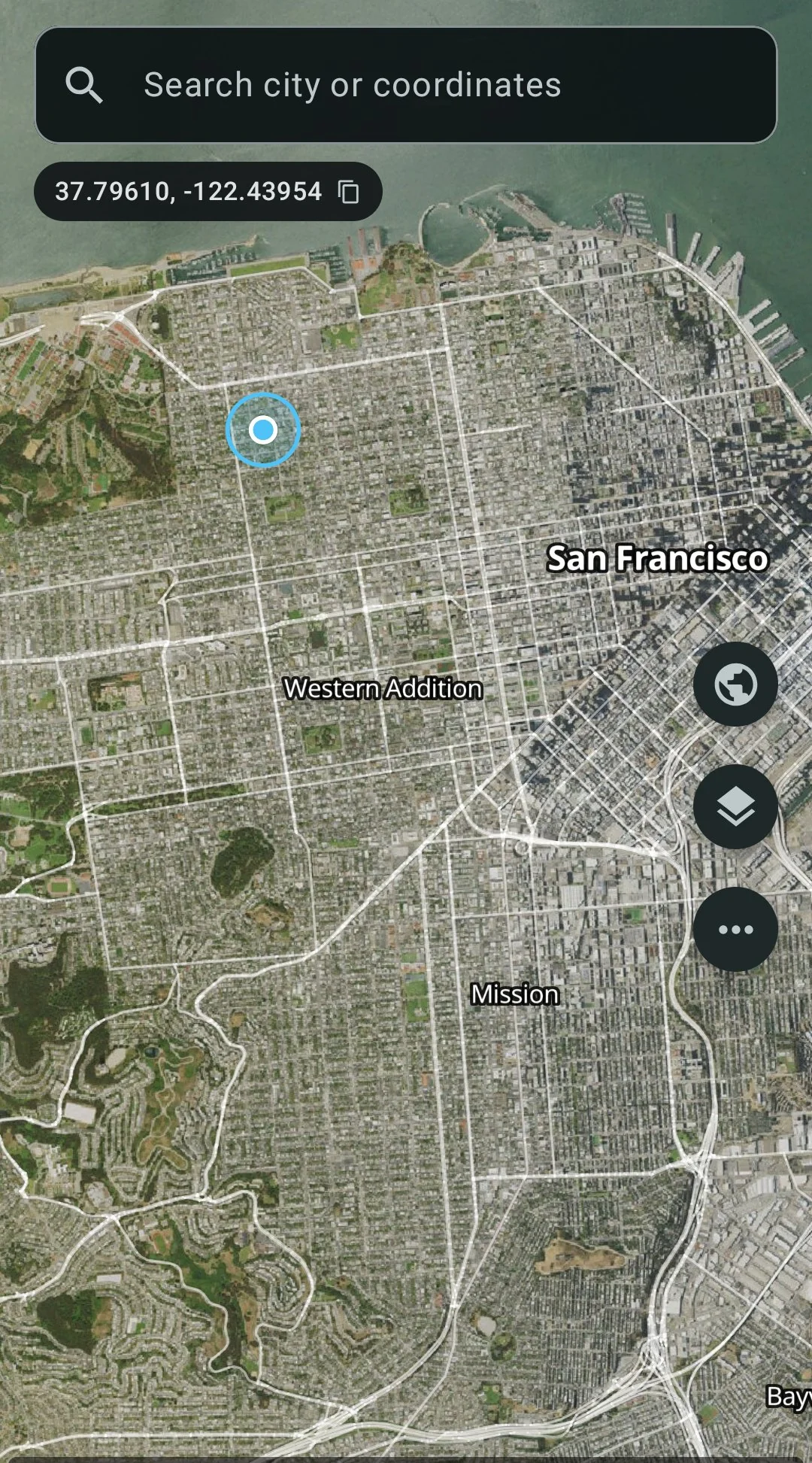
Satellite + street overlay
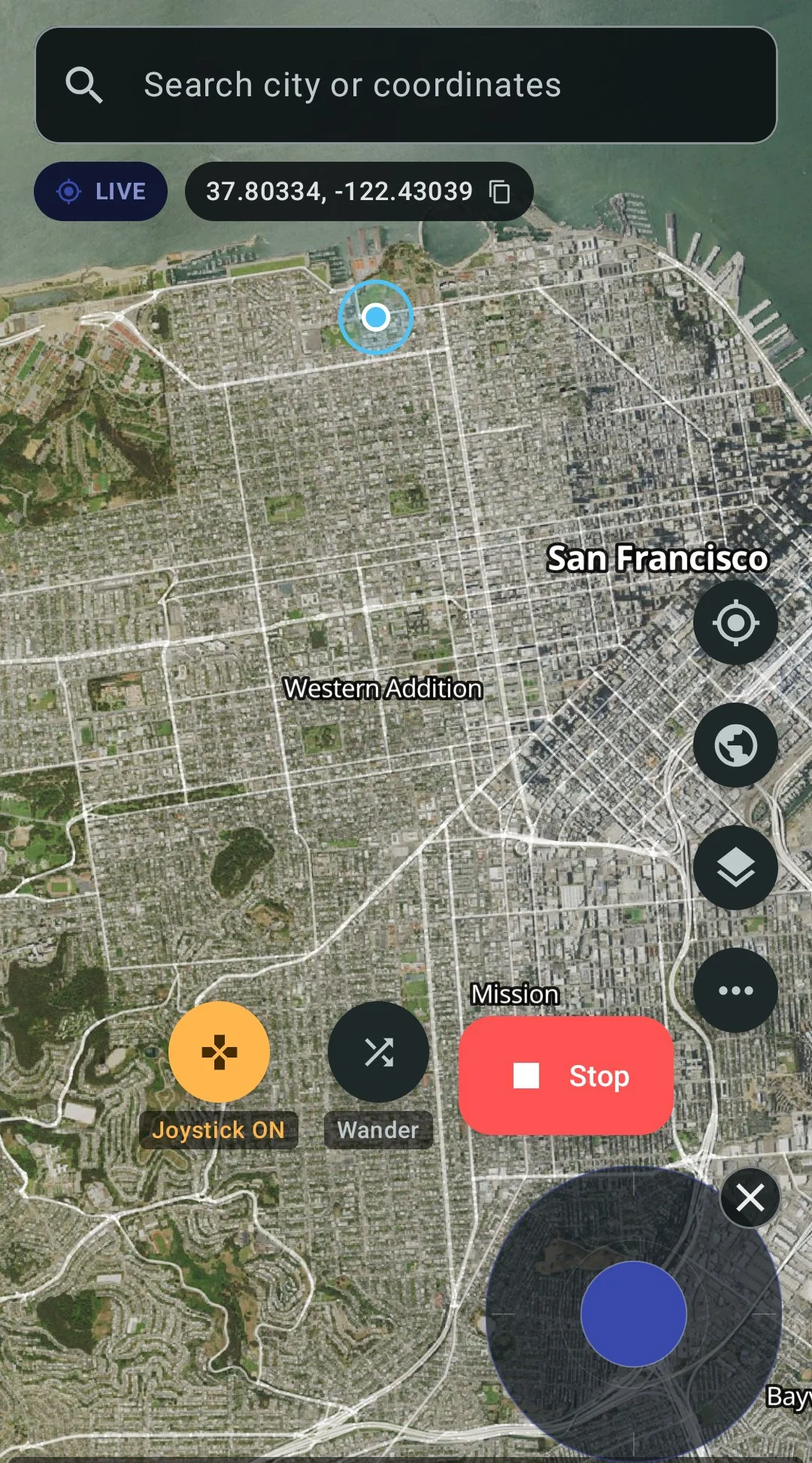
Live spoofing with joystick
Limitations — what you should know before buying
GPS Spoofer works. But it has real limitations, and you should know them before spending $10.
Google Sign-In breaks in patched apps
When GPS Spoofer patches an app with Hide from Apps, it changes the APK signature. Google Sign-In verifies that signature against the one the app developer registered with Google. A patched app has a different signature, so Google rejects the login attempt.
If you log into the target app with Google, you will need to switch to a different login method (phone number, email, Facebook, Apple, Pokemon Trainer Club for Pokemon GO) before patching. Do this while you still have the original app installed and can log in.
Workaround: Container mode does not change the APK signature. Google Sign-In works inside the container. Use Container mode if Google login is essential to you.
Terms of service risk
Spoofing your GPS location violates the terms of service of most apps that care about location. This is not a theoretical risk — people get banned:
- Pokemon GO: Niantic explicitly prohibits “falsifying your location” and uses a three-strike system — 7-day warning, 30-day suspension, permanent ban. Niantic has sued third-party spoofing tools before (Global++, 2021, $5M settlement).
- Tinder, Bumble, Hinge: Manipulating your location violates their terms. Accounts can be banned or shadowbanned.
- Life360: Faking your location defeats the app’s purpose and violates its terms.
- Work check-in apps: Faking your work location may violate your employment agreement and could constitute time theft, which has legal consequences.
GPS Spoofer is a tool. How you use it is your responsibility. We do not encourage violating any app’s terms of service. Use at your own risk.
The patched app is a modified APK
Hide from Apps creates a modified copy of the target app. The app could, in principle, check its own APK signature at runtime and detect the modification. Most apps do not do this today (they rely on Google’s Play Integrity instead), but some might add this check in the future. Container mode avoids this entirely because the app’s APK is unmodified inside the container.
ADB stealth needs a computer once
The ADB stealth method requires connecting your phone to a computer with a USB cable and running one command. You only need to do this once — the permission persists across reboots, app updates, and phone restarts. But if you do not have access to a computer at all, you can skip ADB stealth and use only Hide from Apps or Container mode for the mock flag hiding.
Target app updates may require re-patching
When the target app updates on Google Play, the update overwrites the patched copy with a fresh original. You need to re-patch after the update. GPS Spoofer makes this straightforward — go to Hide from Apps and tap the app again — but it is an extra step. Container mode does not have this issue because the app inside the container is separate from the Play Store version.
Full edition vs. Play edition
| Full Edition ($10) | Play Edition ($4.99) | |
|---|---|---|
| Where to buy | stonerphysics.net/gpspoofer | Google Play |
| Sets mock location | Yes | Yes |
| Hides mock flag | Yes (three methods) | No |
| Joystick | Yes | Yes |
| Routes and speed control | Yes | Yes |
| 3D globe | Yes | Yes |
| Saved locations | Yes | Yes |
| Wander mode | Yes | Yes |
| GNSS simulation | Yes | Yes |
| Scheduled spoofing | Yes | Yes |
| Hide from Apps (LSPatch) | Yes | No |
| Container mode | Yes | No |
| ADB stealth | Yes | No |
Which no-root method to use
All three methods are included in the Full edition. You do not have to choose one at purchase — you get all of them. Here is when to use each one:
- Hide from Apps — best for games (Pokemon GO) and apps where you do not log in with Google. Highest stealth because the hooks run inside the app’s own process. Best for apps with Play Integrity checks.
- Container mode — best when you need Google Sign-In, or when you want to keep the original app installed alongside the spoofed copy. Works well for tracking apps (Life360) and dating apps (Tinder, Bumble, Hinge).
- ADB stealth — best used as an add-on to either of the above. Hides Developer Options and the mock location setting from apps that check for them separately. Not sufficient on its own for apps that read
isMock(), but closes a secondary detection vector. - All three together — maximum stealth. ADB stealth hides the system-level settings while Hide from Apps or Container mode hides the location flag itself. Use this combination if the target app is particularly aggressive about detection.
Why not just use a free app?
Free fake-GPS apps (Fake GPS Location, locationjoystick, Mock Locations, Fake GPS by Lexa, and dozens of others on the Play Store) all do the same thing: they use Android’s mock location API to set coordinates. They work. The coordinates change. But they leave the mock flag on.
If the target app does not check the flag, free is fine. Google Maps, weather apps, and many basic apps do not care where the coordinates came from. But if you are here searching for “fake GPS no root” or “mock location without rooting,” you almost certainly need it for an app that does check — and no free app can solve that problem.
The mock flag is set by the Android framework, not by the mock location app. No matter how good the free app is, no matter what settings it offers, it cannot prevent Android from flagging the location as mock. That requires intercepting the flag on the receiving side, which is what GPS Spoofer’s Full edition does.
GPS Spoofer’s Full edition costs $10 once. No subscription, no monthly fee. That $10 gets you mock flag hiding for every app on your phone, for as long as you use the app. PGSharp has a free version, but it only covers Pokemon GO — and the Standard edition runs $5/month ($60/year). iToolab AnyGo is $9.95/month ($120/year).
FAQ
- Does this work without root?
- Yes. All three methods — Hide from Apps, Container mode, and ADB stealth — work without root. None require unlocking the bootloader, installing Magisk, or installing Xposed. If your phone is rooted with Magisk and Zygisk, there is an optional module that hides mock location from all apps at once.
- Does this work on Samsung phones?
- Yes. GPS Spoofer works on Samsung Galaxy phones (S series, A series, Z Fold, Z Flip) running Android 9 and up. Since it does not require root, it does not trip Samsung Knox.
- Does this work on Android 14, 15, 16, and 17?
- Yes. Version 2.0.8 runs on Android 9 through Android 17 QPR1 on Pixel phones. A setup fix for Android 17 QPR1 Pixels shipped in 2.0.8.
- Do I need a computer?
- Only for ADB stealth, and only once. Hide from Apps and Container mode work entirely on the phone with no computer needed.
- Does Google login work in patched apps?
- No. Patching changes the APK signature. Google Sign-In checks the signature and rejects the patched copy. Switch to phone number, email, Facebook, Apple, or another login method before patching. Google login works in Container mode.
- Is this the same as Xposed Framework?
- The hooks are the same — intercepting
isMock()and related calls. The difference is delivery. Traditional Xposed requires a rooted phone with the framework installed system-wide. GPS Spoofer uses LSPatch to embed the module directly into the target app’s APK, so it runs without root and without any system-level framework. Same hooks, no root. - Can I spoof my location for Pokemon GO?
- Yes. Use Hide from Apps to patch Pokemon GO so it cannot detect the mock flag. The patched copy passes Play Integrity because the system partition is untouched. But spoofing violates Niantic’s Terms of Service — there is always a risk of account action. See the Pokemon GO spoofing guide for detailed steps.
- Can I spoof my location on Tinder or Bumble?
- Yes. Use Hide from Apps or Container mode. Both dating apps can detect mock location, and both methods hide it. See the Tinder guide and Bumble guide for app-specific steps and login considerations.
- Can I fake my Life360 location?
- Yes. Container mode works well for Life360 because Google login is preserved. See the Life360 guide for detailed steps.
- Is using a fake GPS app illegal?
- Using a mock location app is not illegal in itself. But using it to violate another app’s terms of service can get your account banned. Using it to commit fraud — faking a work location, manipulating gig-app earnings, deceiving someone about your location — could have legal consequences. Use responsibly and at your own risk.
- What is the difference between Full and Play edition?
- The Play edition ($4.99 on Google Play) spoofs your GPS coordinates but does not hide the mock flag. Apps that check
isMock()will still detect the fake. The Full edition ($10) hides the flag using three methods. If the target app checks for mock location, you need the Full edition. - Can apps detect that they have been patched?
- Patching changes the APK signature. An app could check its own signature at runtime and detect the change. In practice, most apps do not do this (they rely on Play Integrity instead), but some might add this check in the future. Container mode avoids this because the app’s APK is unmodified inside the container.
- How is this different from a VPN?
- A VPN changes your IP address, which can change your apparent country for websites and some streaming services. But GPS-based apps (Pokemon GO, Tinder, Bumble, Life360) read the phone’s GPS coordinates, not the IP address. A VPN does not change your GPS location. You need a mock location app for that, and GPS Spoofer hides the mock flag on top of changing the coordinates.
- Do I need to re-patch after the target app updates?
- If you use Hide from Apps, yes — a Play Store update replaces the patched APK with the original. Open GPS Spoofer, go to Hide from Apps, and tap the app again to re-patch. Container mode does not have this issue because the app inside the container is separate from the Play Store version.
- Will this drain my battery?
- GPS Spoofer uses Android’s standard mock location API, which replaces the GPS hardware location. When spoofing is active, the GPS radio is still on (Android requires it for the mock provider to work), but the power draw is similar to normal GPS usage. The joystick overlay uses minimal resources.
- Can I use this on multiple phones?
- The Full edition download link works on any Android phone. There is no device limit and no activation count. Buy once, install on as many of your own phones as you want.
- Does GPS Spoofer work offline?
- The mock location functionality works without an internet connection — it overrides your GPS at the system level. But the map tiles (satellite imagery, street maps) need an internet connection to load. If you set a location while online, you can continue spoofing that position offline.
- Can I use GPS Spoofer and a VPN together?
- Yes. GPS Spoofer changes your GPS coordinates and a VPN changes your IP address. Using both makes your spoofed location more consistent — your GPS says London and your IP says London. Neither interferes with the other. However, a VPN alone will not change your GPS location.
- What happens if I uninstall GPS Spoofer?
- Your phone returns to using real GPS. Any patched apps you installed remain patched (the mock flag is still hidden from them), but they will receive your real GPS location since the mock provider is gone. The ADB stealth permission remains until you revoke it manually.
- Is GPS Spoofer itself detectable by other apps?
- GPS Spoofer is installed as a regular app. Apps can see it in the installed app list unless you use ADB stealth to hide it. Some anti-cheat systems scan the app list for known spoofing tools. For maximum stealth, combine ADB stealth (to hide the app) with Hide from Apps or Container mode (to hide the mock flag).
- Does the joystick work over other apps?
- Yes. The joystick is a floating overlay that stays on top of whatever app you are using. You can walk around in Pokemon GO, swipe on Tinder, or use any other app while the joystick controls your spoofed movement. You can dismiss it with the × button when you do not need it.
Rooted and want even more?
If your phone is already rooted with Magisk and Zygisk, GPS Spoofer’s Full edition includes an optional Zygisk module. Install it with one tap from inside the app. It hides the mock location flag from every app at the system level — no per-app patching, no containers. Every app on the phone sees every location as real.
This is for users who already went through the rooting process for other reasons. If you are not rooted, you do not need this — the three no-root methods cover everything. The Zygisk module is a bonus, not a requirement.
Other “no root” methods that do not work
People try a lot of things before finding a real solution. Here are approaches that sound promising but do not actually hide the mock flag:
VPN apps
A VPN changes your IP address, which can change your approximate location on websites and some streaming services. But GPS-based apps read the phone’s GPS sensor or fused location provider, not the IP address. Turning on a VPN to a server in London will not make Pokemon GO think you are in London. Your GPS coordinates stay wherever your phone physically is.
A VPN can be useful alongside GPS spoofing to match your IP to your spoofed GPS location, but it does not replace a mock location app.
Changing location in Google Chrome DevTools
Chrome’s developer tools let you override geolocation for websites viewed in Chrome. This works for web apps that use the browser’s geolocation API. It does not affect native Android apps at all — Pokemon GO, Tinder, Bumble, Life360 are all native apps that read location from Android’s LocationManager, not from the browser.
Fake GPS apps that claim to “bypass” detection
Some free apps on the Play Store advertise that they can bypass mock location detection. They cannot. The mock flag is set by the Android framework when any app uses the mock location provider API. No mock location app can prevent the framework from setting it. The only way to hide it is to intercept the flag on the receiving side — inside the target app or between the target app and the framework — which requires patching, a container, or root.
Turning off location services and using Wi-Fi only
Turning off GPS and relying on Wi-Fi positioning does not help. The mock location API works with all location providers (GPS, network, fused), and the mock flag is applied regardless. Some apps also refuse to work without GPS enabled.
Cost comparison over time
If you are deciding between GPS Spoofer and a monthly subscription service, here is the math:
| Months | GPS Spoofer Full | PGSharp Standard ($5/mo) | iToolab AnyGo ($9.95/mo) |
|---|---|---|---|
| 1 month | $10 | $5 | $9.95 |
| 3 months | $10 | $15 | $29.85 |
| 6 months | $10 | $30 | $59.70 |
| 1 year | $10 | $60 | $119.40 |
| 2 years | $10 | $120 | $238.80 |
GPS Spoofer costs more than PGSharp Standard for the first two months, then less forever after. By month three, GPS Spoofer is already cheaper. And it works with every app on your phone, not just one game.
Per-app guides
Each guide covers app-specific setup, which method to use, login considerations, and risks:
- GPS Spoofer main page — full features, pricing, screenshots, and download link
- Pokemon GO spoofing guide — hides mock flag and passes Play Integrity, cooldown advice
- Change your Tinder location without Passport — $10 once vs. $25/mo Tinder Plus
- Change your Bumble location without Travel Mode — $10 once vs. $40/mo Bumble Premium, no badge
- Fake your Life360 location — Container mode preserves Google login
- How to hide mock location on Android — technical deep dive on isMock(), isFromMockProvider(), and all three hiding methods
- Best fake GPS app for Android 2026 — full comparison of free apps, GPS Spoofer, and monthly subscriptions
- Android mock location testing — how the mock location API works under the hood
- Route and geofence simulation — the math behind simulating movement along a route