Your GPS. Your choice.
English
GPS Spoofer for Android
A VPN changes your IP address. GPS Spoofer changes the GPS location your Android phone reports.
Pick a city, move with the joystick, or follow a route you create. Save your favorite places and return with a tap.
$10 USD · One-time purchase — no subscription
▶ GPS Spoofer · YouTube · EnglishFull Edition: direct Android download after payment, by email. Secure checkout with Stripe. If it does not work on your phone, we fix it, and if it cannot be made to work you get your $10 back. Compare editions · Check app compatibility
On a computer? Scan this with your Android phone to open this page there.
Recorded on a Pixel 8 (Android 16). Search and map selection are sped up. Pokémon GO is a trademark of its owners; not affiliated.
Stop paying every month
Monthly subscription GPS spoofers charge $5–$15 a month. GPS Spoofer is a one-time purchase.
$10
one-time
$10 total — forever
Free–$5/mo
free or subscription
$0–$60/year
$14.95/mo
subscription, Android app
$179/year
$14.99/mo
subscription
$180/year
See it in action
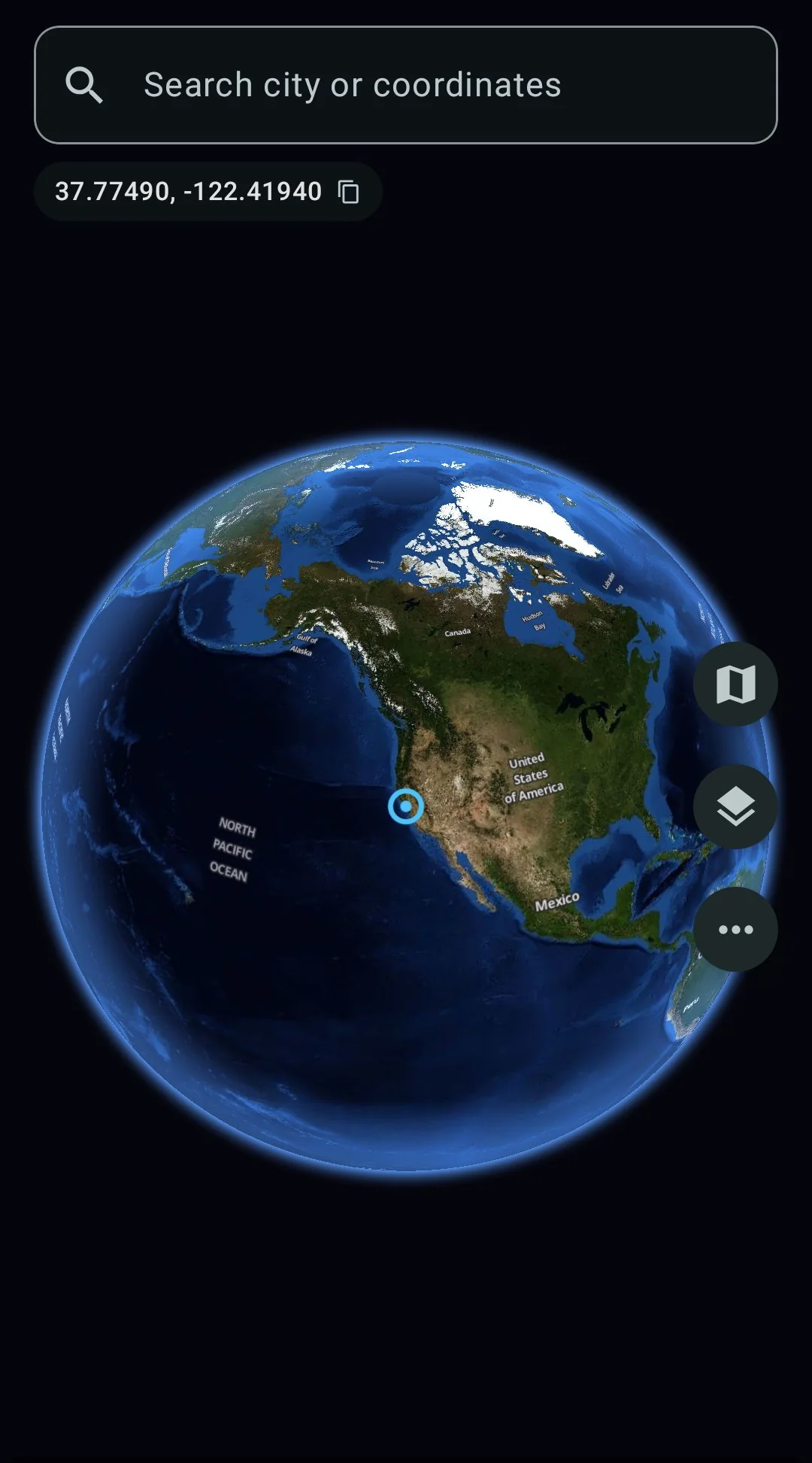
Spin the globe, search any city
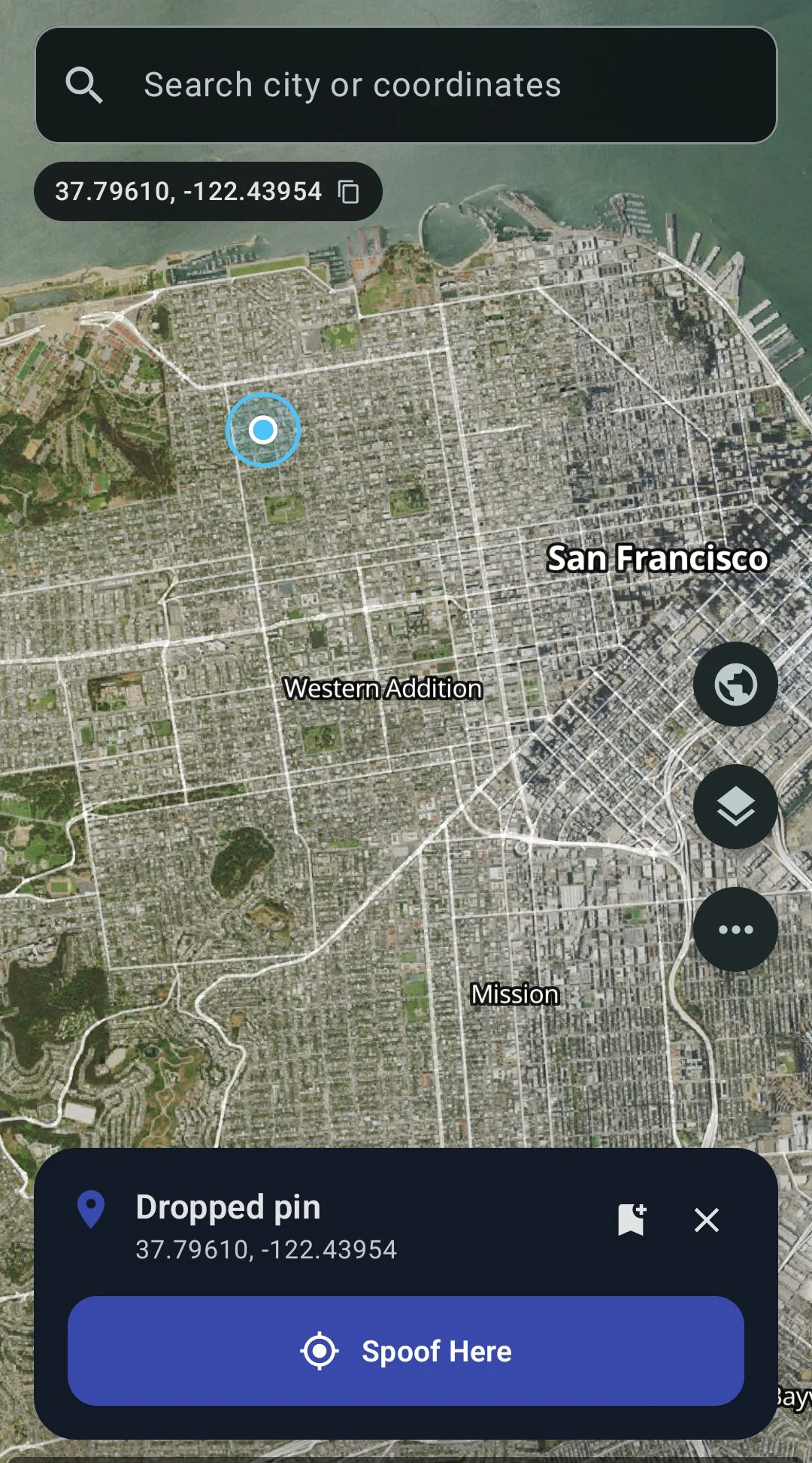
Tap anywhere, hit Spoof Here
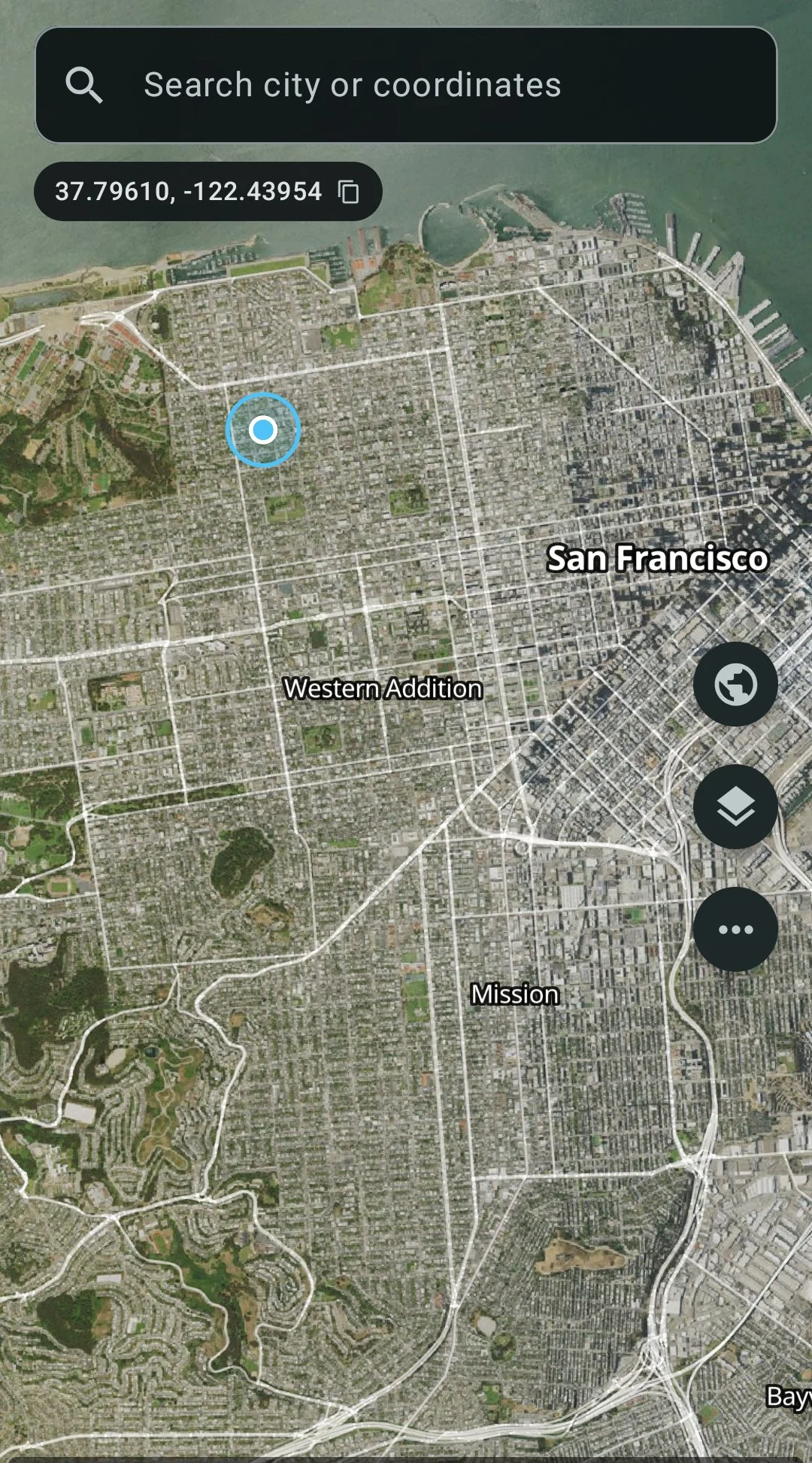
Satellite + street overlay
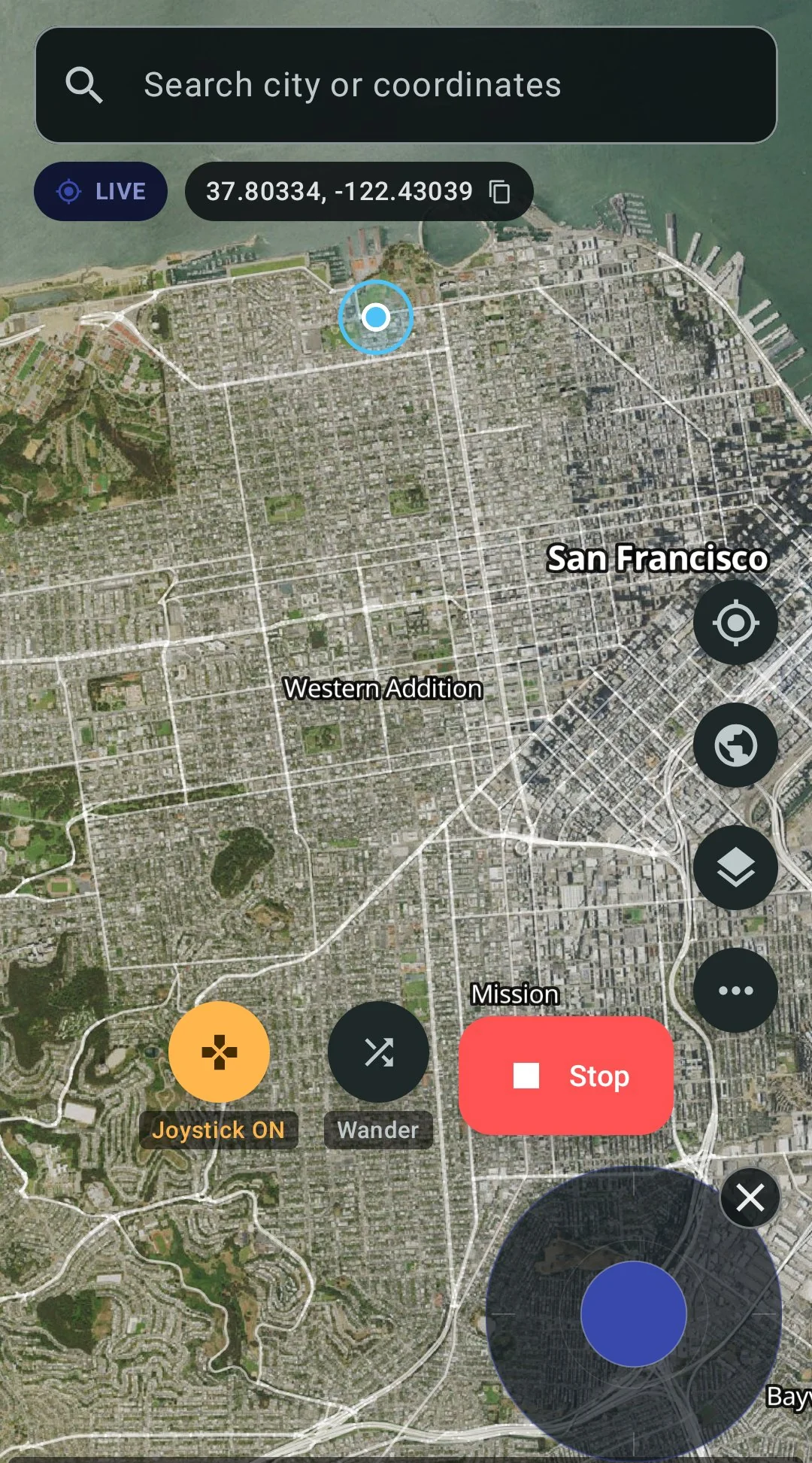
Live spoofing with joystick
What you get
- 3D satellite globe — spin the planet, pinch to dive in, tap to drop your pin
- Tap-to-spoof — one tap picks a spot, one more puts you there
- Search — any city over 5,000 people, or raw coordinates
- Joystick overlay — floating on-screen stick for real-time movement
- Route builder — set waypoints and walk the path at your chosen speed
- Speed control — walk, jog, bike, drive and fast presets, or a custom speed from 1 to 200 km/h
- Receiver-style fix data — accuracy, satellite count, signal strength in every fix
- Favorites and history — every location saved for quick access
- Scheduled spoofing — set locations on a timer
- Satellite and map views — NASA imagery or vector streets
- Offline search — built-in city database, no connection needed
- Smooth teleport — gradual transition instead of instant jumps
Choose your edition
Both editions are available now. The Play edition is free on Google Play as GPS Spoofer Lite, with day and week passes and a Pro unlock sold through Google Play. The Full edition is a direct download from this page.
The Play edition uses Android’s built-in mock location API — set it in Developer Options and you’re running. The Full edition adds tools for apps that detect mock locations: patching a chosen app, container mode, and an optional computer-assisted setup. These tools need additional setup; compatibility depends on the app, its version and your device.
Play Edition
Free to download
- 3D globe, map, search
- Tap-to-spoof via mock location API
- Free: spoof in 15-minute sessions
- Day pass $0.99 (24 hours) or week pass $1.99 (7 days) with no time limit
- Pro, $4.99 once: no time limit, plus joystick, routes, saved places and schedules
- Requires Android 8.0 or newer
Full Edition
$10 one-time
- Everything in Play, plus:
- Hide from Apps — patch supported apps to hide mock-location signals; replaces the original app with a patched copy (no root)
- Container mode — run an app inside a container where it sees an ordinary GPS fix (no root)
- ADB stealth — a one-time setup from a computer hides Developer Options from apps that check (no root)
- Detection scan — shows what an app can see about your location setup
Google Play → GPS Spoofer Full · USD 5
Already own the Play Edition? Its upgrade offer first appears after you start spoofing three times. Choose the button shown below in the app. Google Play verifies your purchase before checkout.
Upgrade for $5
Check the app you want to use
GPS Spoofer supplies a location through Android’s mock-location system. Some apps accept it; others detect mock locations or use additional location signals. Full Edition includes patching profiles for Tinder, Bumble, Hinge, Pokémon GO, Life360 and Grindr. A profile is not a guarantee for every app version or device.
Start with the guide for your app. Patching requires reinstalling that app and signing in again; Google Sign-In is unavailable in patched copies, so use an email or phone login.
- Pokémon GO — setup, compatibility and account considerations
- Tinder — location setup and sign-in requirements
- Bumble — location setup and compatibility
- Life360 — Hide from Apps setup guide
- Compare fake GPS apps — free vs paid vs monthly subscriptions
Requirements
| Play Edition | Android 8.0 or higher. Enable Developer Options and select GPS Spoofer as your mock location app. No root needed. |
|---|---|
| Full Edition | Android 8.0 or higher. No root needed. Patching an app with Hide from Apps swaps it for a patched copy: you uninstall the original, install the patched one, and log in again. A patched app can’t use Google Sign-In, so switch that app to email or phone login first. |
Setup
Play Edition: Install from Google Play, then go to Settings → Developer Options → Select mock location app → choose GPS Spoofer. Open the app, tap the map, hit Spoof Here.
Full Edition: Download and install the APK. Open the app and follow its two setup steps: turn on Developer Options, then select GPS Spoofer as the mock location app. Tap the map and spoof. For an app that checks for spoofing, open Hide from Apps and patch it, or run it in Container mode. Using it with Tinder? Step-by-step Tinder guide.
How it works
The Play edition uses Android’s LocationManager.addTestProvider() API, which any app with the mock location permission can call. This is the same API developers use to test location features, and it requires choosing GPS Spoofer as the mock location app in Developer Options.
The Full edition adds ways to keep apps from seeing that the location is mocked. Without root, it can patch a chosen app with a bundled copy of LSPatch so the app’s own mock-location checks see an ordinary fix, run apps inside a container that feeds them the coordinates with isMock() false, or, after a one-time ADB setup from a computer, hide Developer Options and the mock location setting from detection.
In both editions, every fix carries the satellite count, dilution of precision and signal strength a real receiver reports, from one signal model: accuracy starts coarse and tightens over the first seconds, and now and then the signal drops the way it does between buildings. Apps that read the live satellite status stream see your phone's real satellites; that stream is not simulated.
Reviews from buyers
No reviews yet. If you bought the Full Edition, yours can be the first.
Bought the Full Edition? Write a review
Only buyers can post: the license key proves the purchase and allows one review. We show your name, rating, review, the month and the country you posted from; we don’t keep your license key, email or IP address with it. Every review from a buyer is published, good or bad. We remove only spam, abuse and personal details. Privacy policy.
From payment to a new location, step by step
- Pay once. Choose the Full Edition under Choose your edition and pay $10 through Stripe.
- Open the email. “Your GPS Spoofer download is ready” comes from support@stonerphysics.net, usually within a minute; check your spam folder if you don’t see it. Tap Download GPS Spoofer. The link is yours and works for 30 days.
- Install the file. Downloading does not install the app. Open Chrome’s menu > Downloads, or your Files app, tap the GPS-Spoofer-Full file, then tap Install. The first time, Android sends you to Install unknown apps to allow installs from your browser.
- Do the two setup steps the app shows. Turn on Developer Options, then choose GPS Spoofer under Select mock location app.
- Pick a place. Search for a city or tap the map, then press Spoof Here.
- Hide it from an app that checks. Open Hide from Apps and patch that app, or run it in Container mode.
Questions buyers ask
- Does GPS Spoofer work with Life360?
- Yes in our test. On 28 October 2026 a Galaxy S22+ that is not rooted ran GPS Spoofer Full with Life360 patched by Hide from Apps, and a second phone in the same circle showed it at the spot we had set. Life360 can change what it checks in any update. The Life360 guide has the test and the steps.
- How do I turn off my Life360 location without it showing?
- Life360’s own switches tell your circle. Its help center says that turning off Location Sharing shows “Location Sharing Paused” under your name, and that turning off the phone’s location services shows a “Location permissions off” alert. GPS Spoofer leaves both on and gives Life360 the location you choose instead.
- Does airplane mode turn off Life360?
- It cuts the phone’s connection, so Life360 gets no new location, and your circle can tell: Life360’s help center says that when a member’s app has lost connection, “their icon on the map will be greyed out”.
- Does it work on Samsung Galaxy phones?
- Yes on the phone we test with, a Galaxy S22+ that is not rooted; the Life360 test above ran on it. Two things differ on a Galaxy: Build number is under Settings > About phone > Software information, and Samsung’s Auto Blocker can refuse the install until you turn it off under Settings > Security and privacy > Auto Blocker. Other Galaxy models have not been through that test by us.
- Do I need to root my phone?
- No. Setting the location, Hide from Apps and Container mode all work without root. ADB stealth needs a computer once and does not root the phone. If the phone is already rooted with Magisk and Zygisk, there is an optional module that hides the mock flag from every app at once.
- What if it does not work on my phone? Is there a refund?
- Email support@stonerphysics.net and say what you see. We fix it for your phone, and if it absolutely cannot be made to work on it, you get your $10 back.
- Does it work on Android 12, and on a Motorola?
- It runs on Android 8.0 and later, so Android 12 is covered. Our own test phones are a Galaxy S22+ and a Pixel 8; the video on this page was recorded on the Pixel, on Android 16. A Motorola has not been through our hands. If something does not work on yours, the answer above applies: we fix it or refund you.
- What exactly does the Full edition hide from an app, and what does it not?
- Hide from Apps and Container mode hide the mock mark Android puts on every location (
isMock()and the olderisFromMockProvider()), so the app sees an ordinary GPS fix. ADB stealth hides the Developer Options setting and the mock-location setting. It does not hide the list of apps installed on the phone: an app that looks for GPS Spoofer by name can still find it. If you are not sure what your app checks, ask us before you buy. - Does it get past root detection and Play Integrity checks?
- Your phone stays unrooted, so a root check has nothing to find, and the device verdict of Google’s Play Integrity is not affected. An app patched by Hide from Apps is a re-signed copy: the app-recognition verdict sees it as different from the Play Store copy, and Google Sign-In does not work inside it, so log in with email or a phone number. What an app does with that verdict is up to the app. Container mode does not patch the app; we have not tested Google Sign-In inside it.
- I downloaded it and no app appeared. What now?
- The download is the installer file, not the installed app. Open Chrome’s menu > Downloads, or your Files app (My Files on Samsung), tap the GPS-Spoofer-Full file and tap Install. If Chrome says “File might be harmful”, that is its warning for any app file from outside the Play Store: tap Download anyway. If the link has stopped working, reply to the download email and we will send a new one.
- Is it a subscription?
- No. The Full Edition is $10 once. The Play Edition is free to try in 15-minute sessions, with a day pass at $0.99, a week pass at $1.99 and Pro at $4.99 once (US prices).
- Is there an iPhone version?
- No. GPS Spoofer is an Android app and needs Android 8.0 or newer.
- Does it work with Pokémon GO?
- Yes, with the Full Edition. Hide from Apps patches your copy of Pokémon GO on the phone so it cannot read Android’s mock-location flag; the video at the top of this page shows it on a Pixel 8. The patched copy cannot sign in with Google, so if your trainer signs in with Google, link Facebook in the game first (Main Menu > Settings > Account): on Android, Sign in with Apple does not work. Spoofing breaks the game’s terms of service and accounts do get banned, so do not use it on an account you cannot afford to lose.
- Do I need a computer?
- No. Setting the location, patching an app with Hide from Apps and Container mode all happen on the phone. Only ADB stealth, the optional setup that hides Developer Options from apps, needs a computer, once.
- Does a VPN do the same thing?
- No. A VPN changes your IP address. Apps such as Life360, Tinder and Pokémon GO read the phone’s GPS location, which a VPN does not change. Why a VPN does not move your GPS.
- Can an app still detect it?
- It can. Hide from Apps and Container mode hide Android’s mock-location flag, and ADB stealth hides the Developer Options setting. Those are specific mechanisms, not a promise about every app: an app can use other signals, such as the country of your network, and can change its checks in any update. The Detection Scan in the Full Edition shows what an app on your phone can read.
- Is a GPS spoofer app legal?
- A phone app that changes the location your phone reports transmits no radio signal, so the United States rules against GPS jammers and radio spoofers (47 U.S.C. § 302a(b)) do not cover it. What can be illegal is using a false location to commit fraud, and many apps ban spoofing in their terms. Where the legal line is, with sources.
Ready?
$10 once. Download instantly. No subscription, no root, no recurring charges. If it does not work on your phone, we fix it or refund you.
Support
Bug reports and feature requests: support@stonerphysics.net